9:40 am
The phone rings.
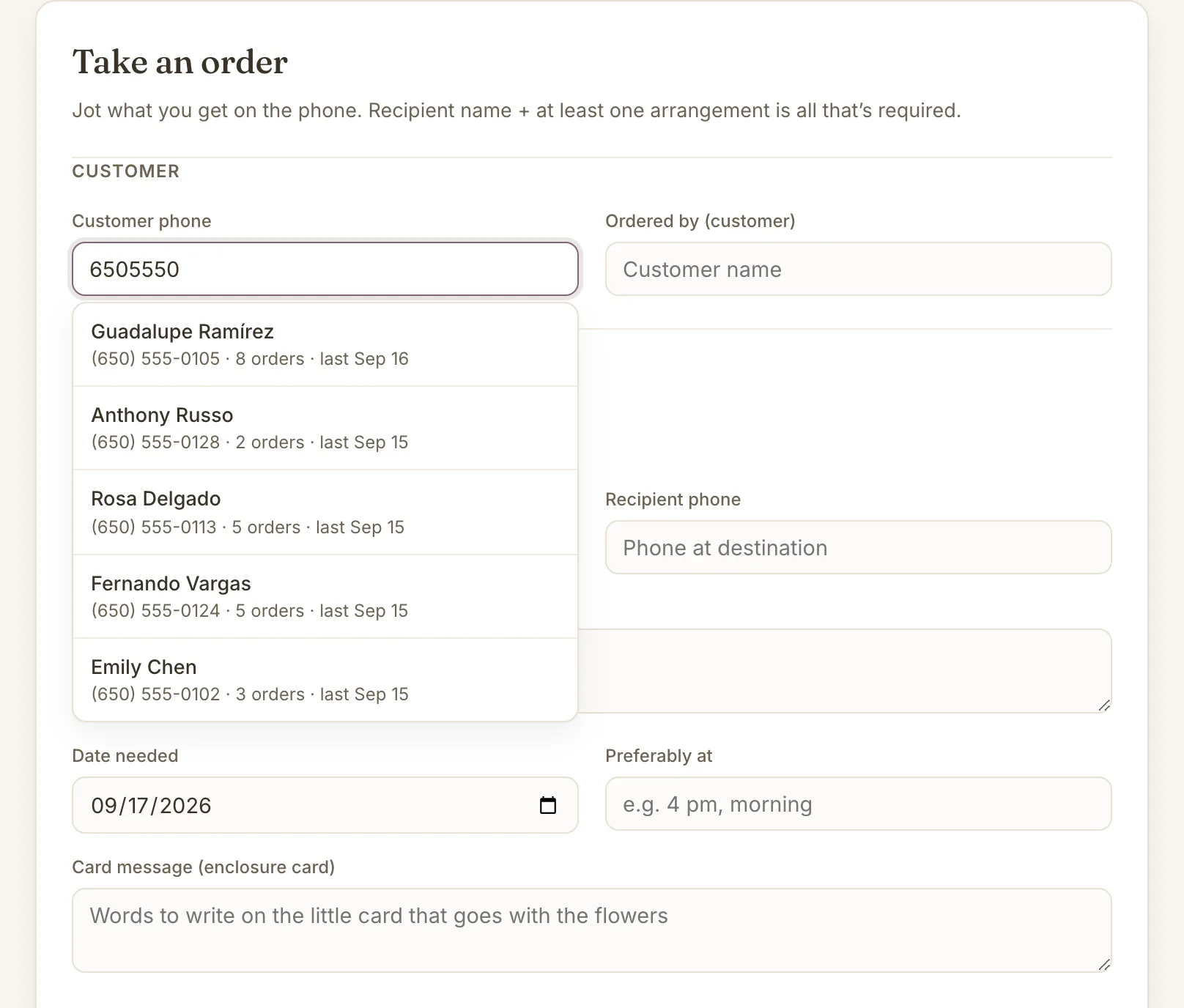
Type the number before you ask for a name. If they've ordered before, their name comes up with how many orders they've placed, and one tap copies their last delivery address and recipient.
Floristwork is a work-orders app for independent florists. Take the order while the caller is still talking, move it across the board as you build it, and print the tickets that ride in the van.
A made-up shop with six months of orders. Nothing to sign up for.
No product catalog to build, no storefront, no setup day. An order is a phone number, who it's for, what to make and when it's due. Everything else, the client's history, the tickets, the month's numbers, fills in from the orders you were going to write down anyway.
9:40 am
Type the number before you ask for a name. If they've ordered before, their name comes up with how many orders they've placed, and one tap copies their last delivery address and recipient.
9:42 am
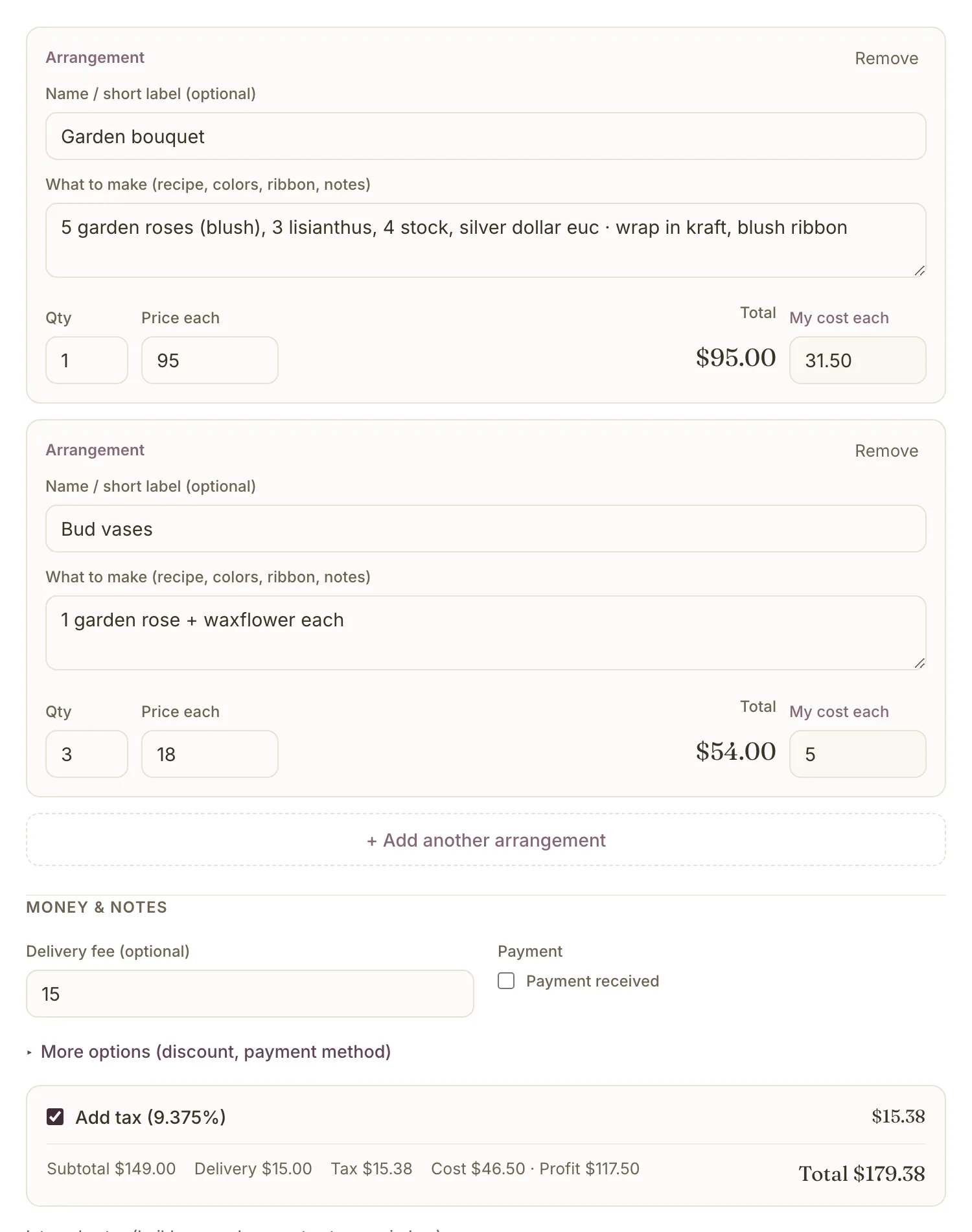
Each piece gets a recipe line, a quantity and a price each; the app does the multiplying. Put in what the stems cost you and the profit is on screen before you hang up. Delivery fee and sales tax are one field and one checkbox.
11:15 am
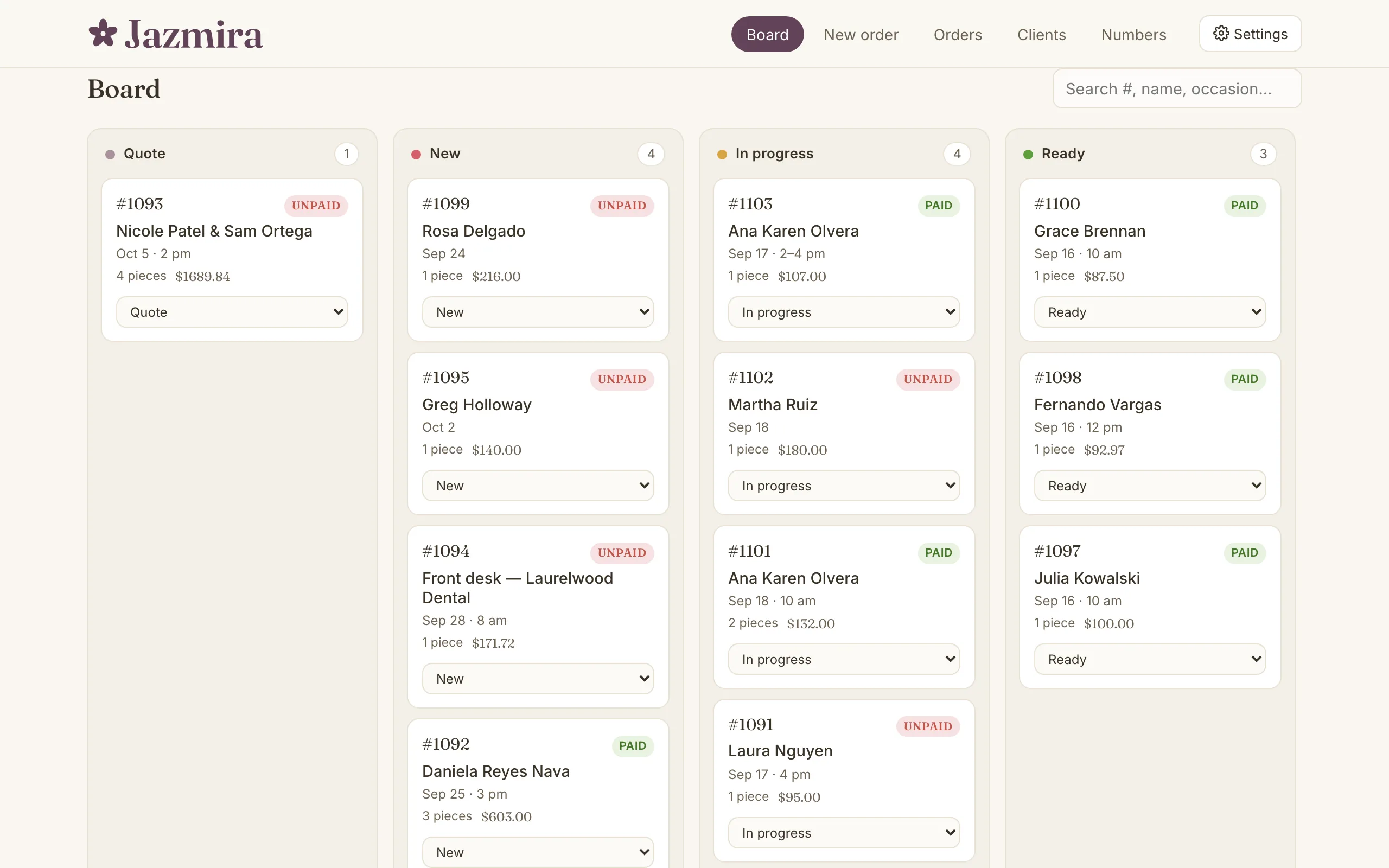
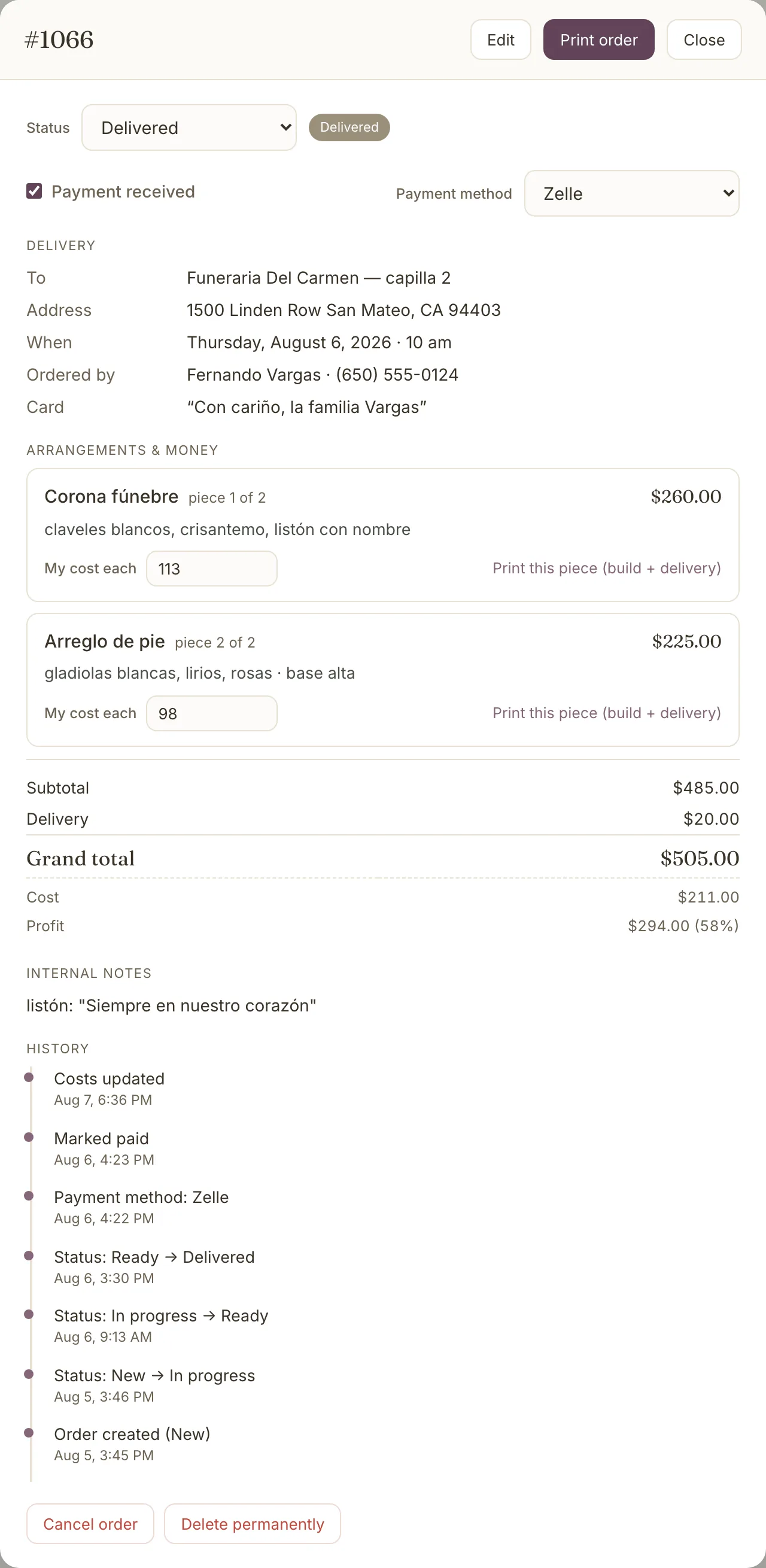
Quote, new, in progress, ready, delivered. Drag the card across the board or change it on the order. Every status change, payment and edit lands in the order's history with the time it happened.
2:30 pm
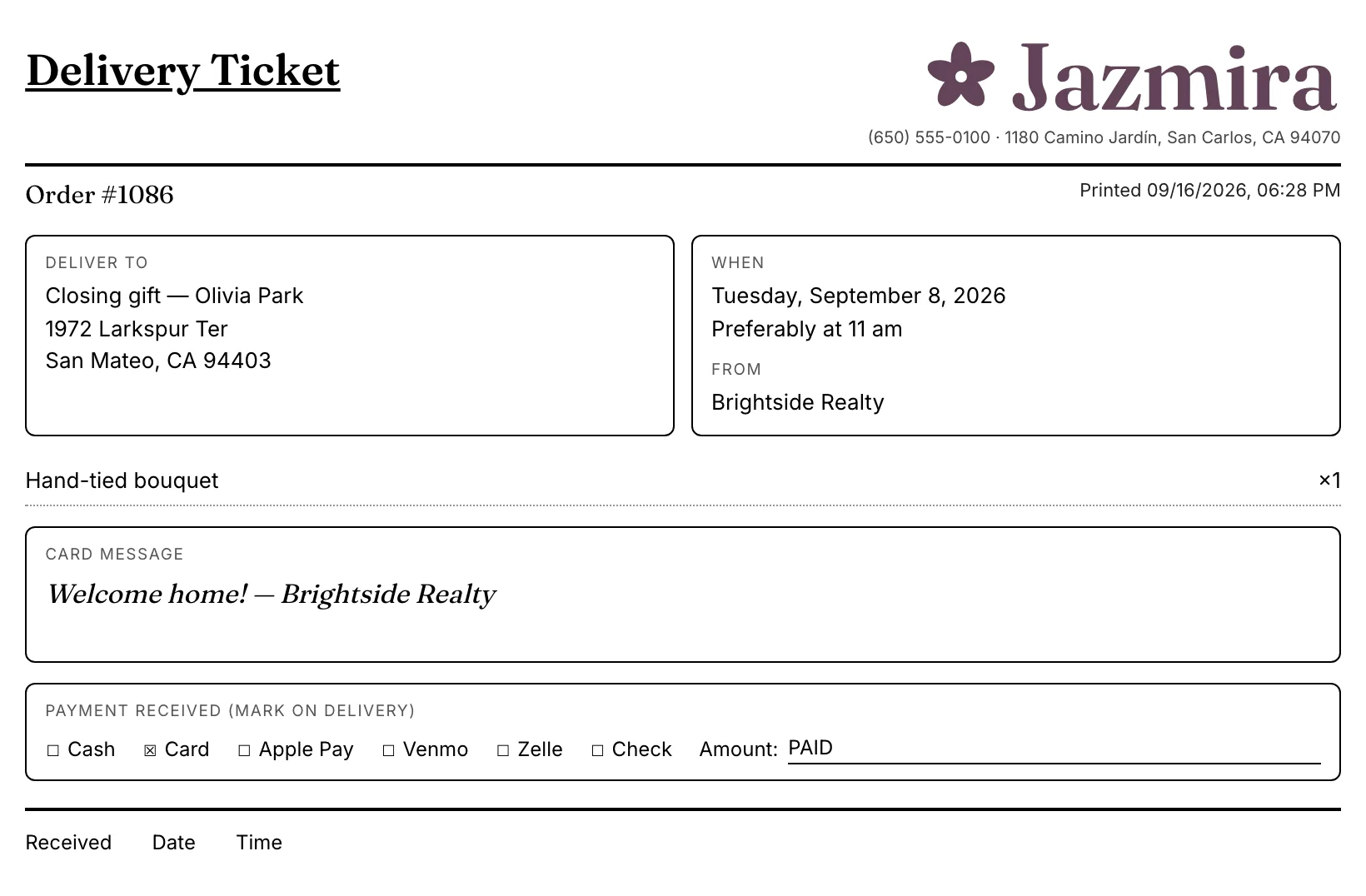
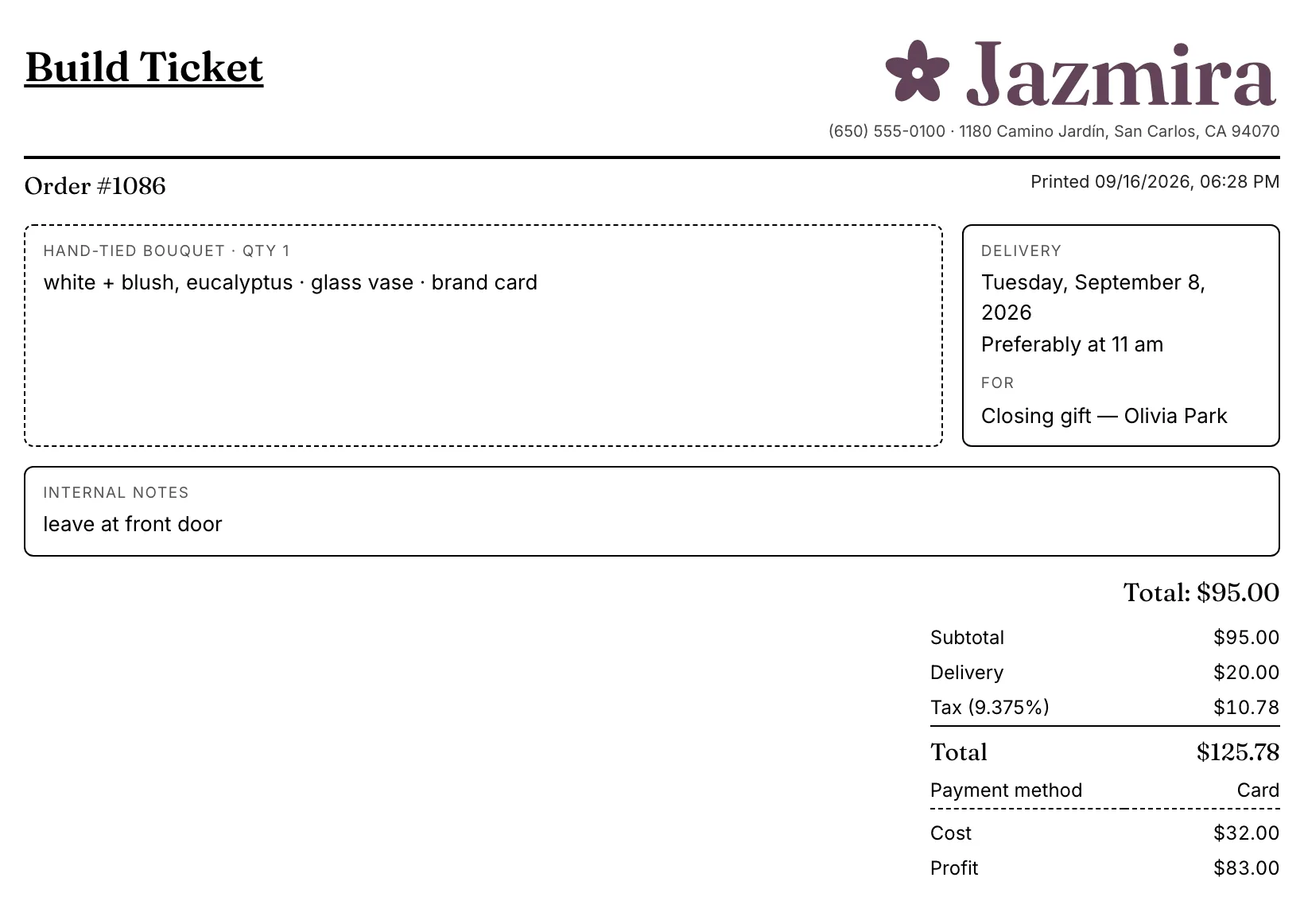
Every order prints two tickets. The build ticket stays on the bench with the recipe, your internal notes and the money. The delivery ticket goes with the driver: address, delivery window, the card message, and boxes to mark how the customer paid.
Print the whole order, or one piece at a time when a wedding goes out in three trips. Tickets have their own language setting, so the driver's copy can be in Spanish while the app stays in English.
End of the month
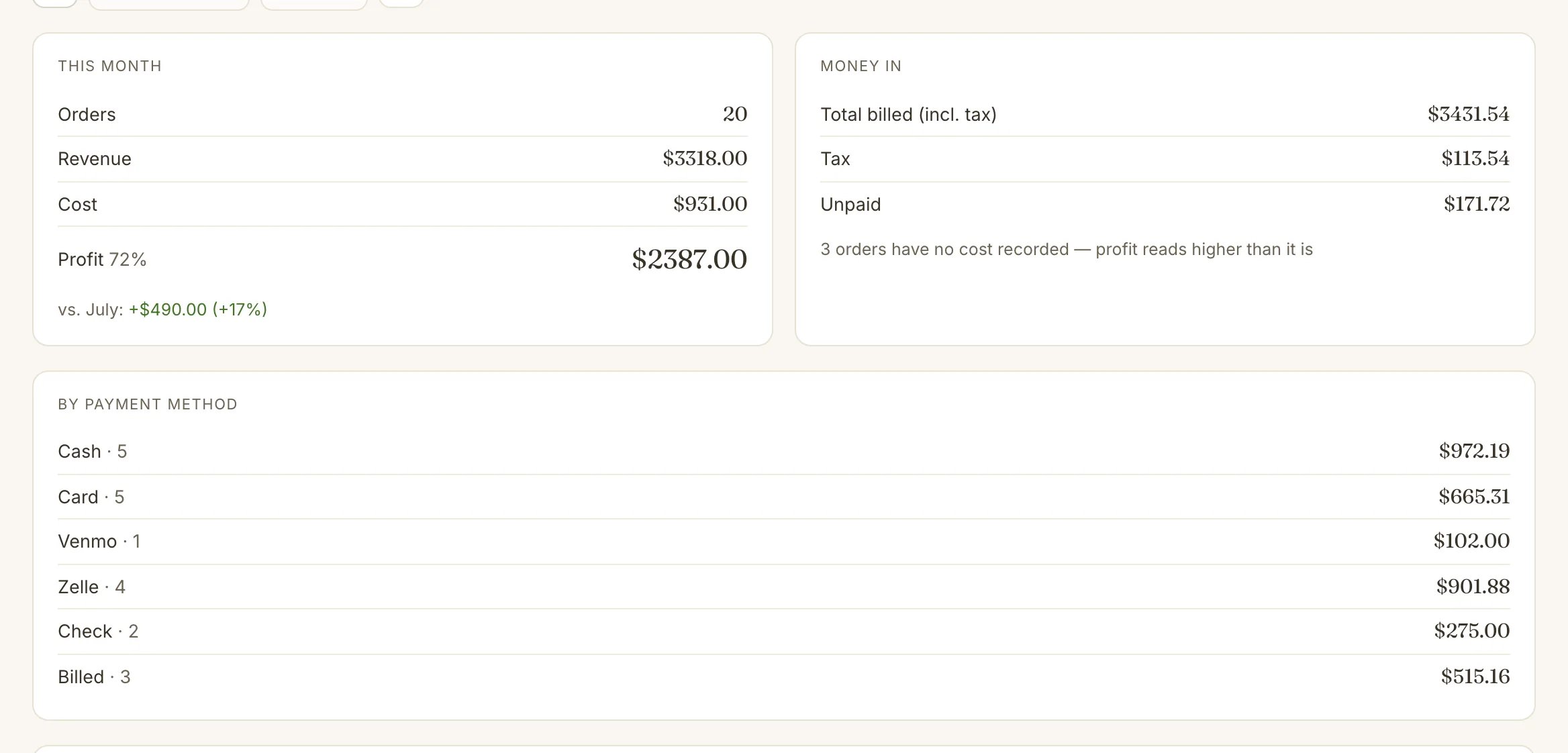
Revenue, cost and profit for every order, totals by payment method, and how it compares with last month. Quotes and cancellations stay out of the math. When an order is missing its costs, the page flags it, so profit never reads higher than it is.
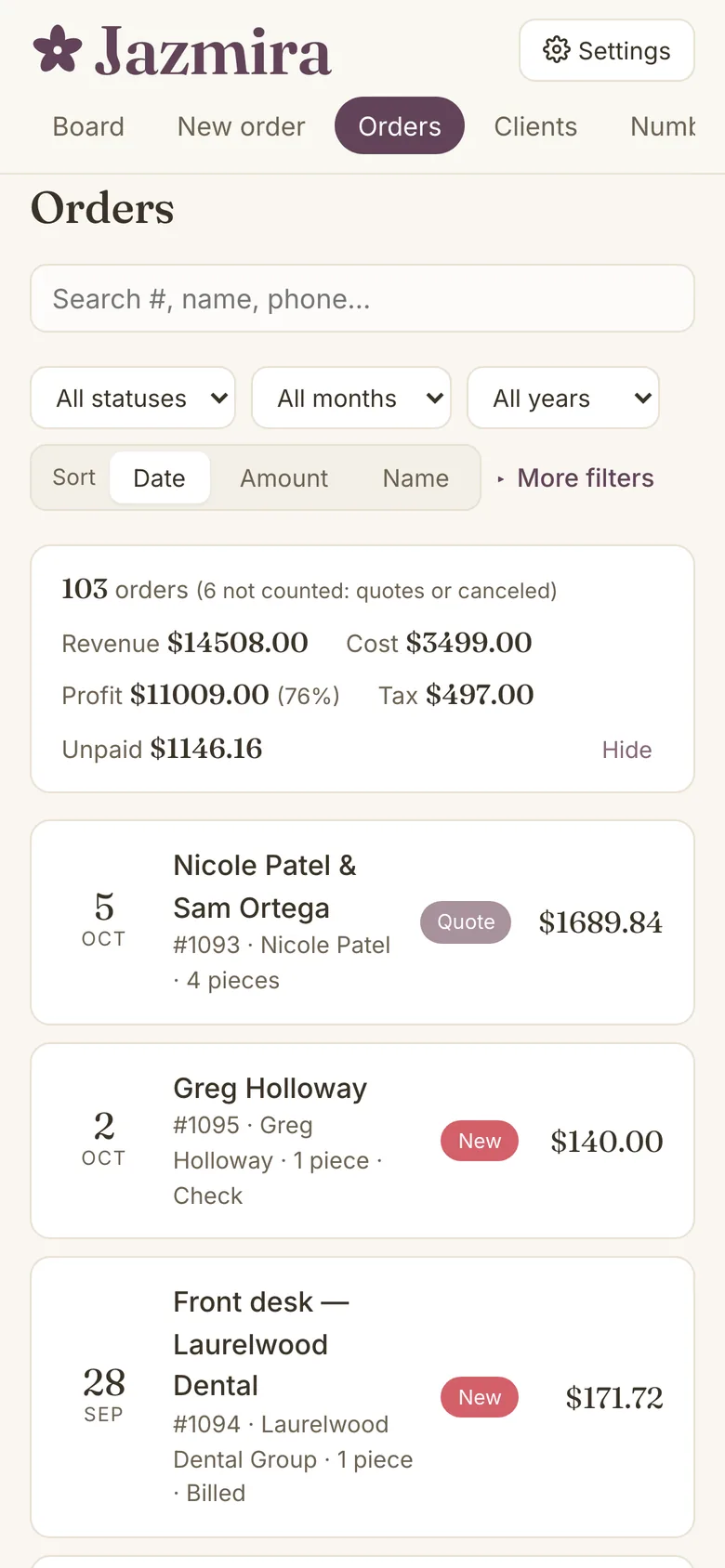
The demo is Jazmira, a florist that doesn't exist, with six months of orders, a quinceañera and a wedding quote on the board. Change anything. It saves only in your browser, and Reset puts it all back.
Open the live demo